How to Add & Verify a GBP on Maps (2026 Guide)
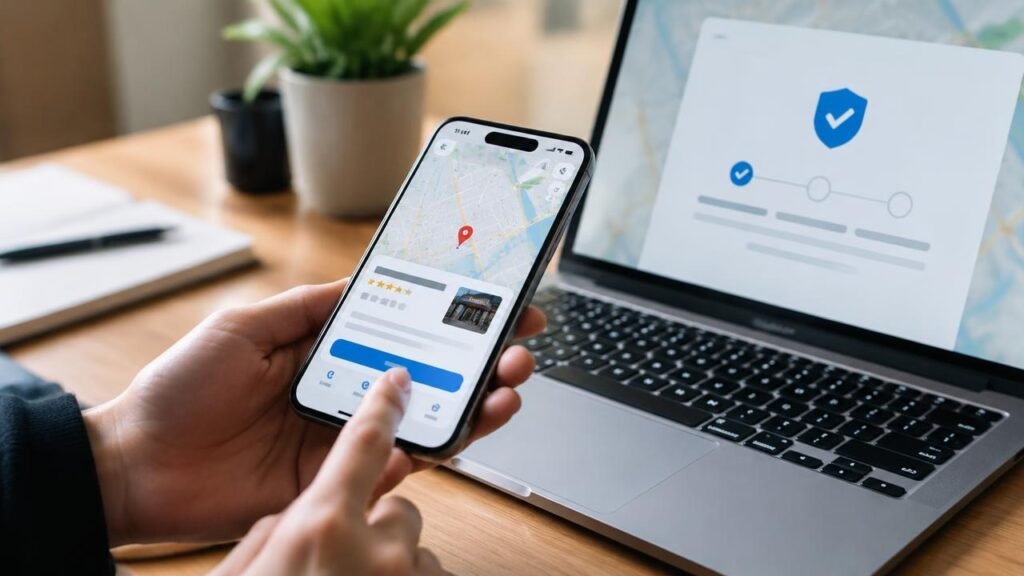
A business’s absence from Google Maps limits local market penetration, as strategic directory visibility is a primary driver for capturing regional consumer intent.
Establishing a verified Google Business Profile and deploying accurate data structures are foundational steps that typically enhance a brand’s local search presence and user engagement metrics.
To maximize listing visibility effectively while mitigating the risk of policy suspension, operators should execute targeted optimization workflows that address structural profile inaccuracies, maintain NAP uniformity, and align with platform webmaster guidelines.
Key Takeaways
- Create a listing through Google Business Profile by entering your business details accurately.
- Verify ownership to establish credibility and enhance visibility on Google Maps.
- Choose appropriate categories that reflect your business offerings for better discovery.
- Add high-quality photos that showcase your products or services to attract customers.
- Regularly update business hours and information to maintain accuracy and customer trust.
The Essential Role of Google Maps for Local Businesses
In today’s digital landscape, Google Maps serves as an essential tool for local businesses aiming to enhance visibility and attract customers.
It facilitates local discovery, allowing you to connect with potential clients who mightn’t otherwise find you. By optimizing your listing, you build customer trust, vital for converting mobile searches into loyal patrons.
The app’s direction efficiency guarantees that customers can easily locate your business, increasing foot traffic. This not only drives sales but also fosters brand loyalty.
Leveraging Google Maps gives you a competitive advantage in an increasingly crowded marketplace. By ensuring your presence is optimized, you position your business as a go-to destination, ready to meet the needs of your community.
Step-by-Step Guide to Listing Your Business on Google Maps
Listing your business on Google Maps is a strategic move to enhance your online presence and attract local customers. First, create a listing by visiting Google Business Profile and entering your business details.
Next, verify ownership through the verification process this is essential for establishing credibility. After that, set categories that accurately reflect your business offerings; this helps potential customers find you easily.
Don’t forget to add photos that showcase your products or services, as visuals can greatly influence decisions. Additionally, manage your hours to make certain customers know when you’re available.
Finally, use keywords throughout your listing to improve visibility in search results. Following these steps can effectively position your business on the map, driving local engagement and growth.
Essential Tips for Enhancing Your Google Maps Visibility
To enhance your visibility on Google Maps, focus on optimizing your business listing with strategic elements that attract attention.
Enhance your Google Maps visibility by optimizing your business listing with strategic elements that capture attention.
Start with local SEO; make certain your business name, address, and phone number are consistent across platforms. Implement keyword targeting to align your listing with relevant searches, making it easier for potential customers to find you.
Photo optimization is vital upload high-quality images that showcase your products or services, as visuals draw interest. Encourage customer reviews; positive feedback boosts your credibility and ranking.
Don’t overlook map citations; getting listed in local directories reinforces your business presence. Finally, clearly define your service area to help users know where you operate, increasing your chances of attracting local traffic.
Google Maps Optimization: 6 Critical Pitfalls to Avoid
While optimizing a Google Maps listing can markedly boost digital visibility, eliminating profile non-compliance is critical for maintaining local search positions.
To align with platform guidelines and mitigate the risk of account suspension, consider addressing these six common optimization pitfalls:
- Inaccurate Operating Hours: Discrepancies in business hours can frustrate potential consumers and lower profile reliability signals.
- Non-Authentic Customer Reviews: Avoiding incentivized or fake feedback is essential, as policy violations can mislead users and result in profile suspension.
- Duplicate Profile Listings: Multiple listings for a single location can confuse search users and dilute local ranking signals.
- Inaccurate Business Categories: Misrepresenting primary or secondary categories can misalign search intent and derail overall visibility.
- Low-Quality Visual Assets: Relying on poor photos can deter potential clients; utilizing clear images typically enhances brand credibility.
- Unverified Profile Ownership: Neglecting the verification process can expose a listing to unauthorized third-party changes that undermine operational control.
Systematic mitigation of these operational issues helps safeguard a business’s digital presence and supports the acquisition of organic consumer traffic.
Fixing Mistakes and Managing Your Google Maps Listing
Maintaining your Google Maps listing requires ongoing attention to detail, especially when mistakes pop up. To guarantee your information stays accurate, regularly update hours and report closures.
Ongoing attention to detail is crucial for maintaining your Google Maps listing; keep your hours updated and report any closures promptly.
If you notice duplicate listings, merge them to streamline your presence.
It’s also essential to remove old photos that no longer represent your business; fresh visuals attract customers.
Engaging with your audience is key, so respond to reviews both positive and negative to build rapport and trust.
Don’t forget to claim ownership of your listing if you haven’t already; this grants you control over your information.
Conclusion
Implementing data-driven local SEO strategies can significantly enhance your Google Business Profile performance and help improve your Google Maps click-through rate (CTR).* To optimize your local directory listing into a high-visibility digital storefront, consider focusing on these three core industry practices:
- Maintain consistent NAP Data: Auditing your Name, Address, and Phone details across digital directories helps mitigate indexation conflicts and improves search engine trust.
- Publish regular Google Posts: Updating promotional content and relevant localized keywords can drive higher user engagement and profile interactions.
- Manage authentic customer reviews ethically: Promptly responding to legitimate user feedback signals transparency, aligning with platform guidelines and consumer trust standards.
Disclaimer: SEO results may vary based on industry competition, location, and algorithmic updates. Statistical references are based on industry benchmarks and case studies, not a guarantee of specific traffic or ranking increases.
Note: SEO optimization results may vary depending on the industry, competition, and broader changes in search engine algorithms.
Disclaimer: This guide is for informational purposes only. Google, Google Maps, and Google Business Profile are trademarks of Google LLC. This website is not affiliated with, endorsed by, or sponsored by Google.
Content creation: supported by AI.